

 JB CLIPPIN
More than the average clipper.
A clipper that shows you every peak it shaves. Four engines, one or three bands, a loudness target for every platform and a true-peak ceiling that holds even after the stream codec.
Built by Joe Blast for his own mixes. Free for everyone.
Interface preview · free · in development
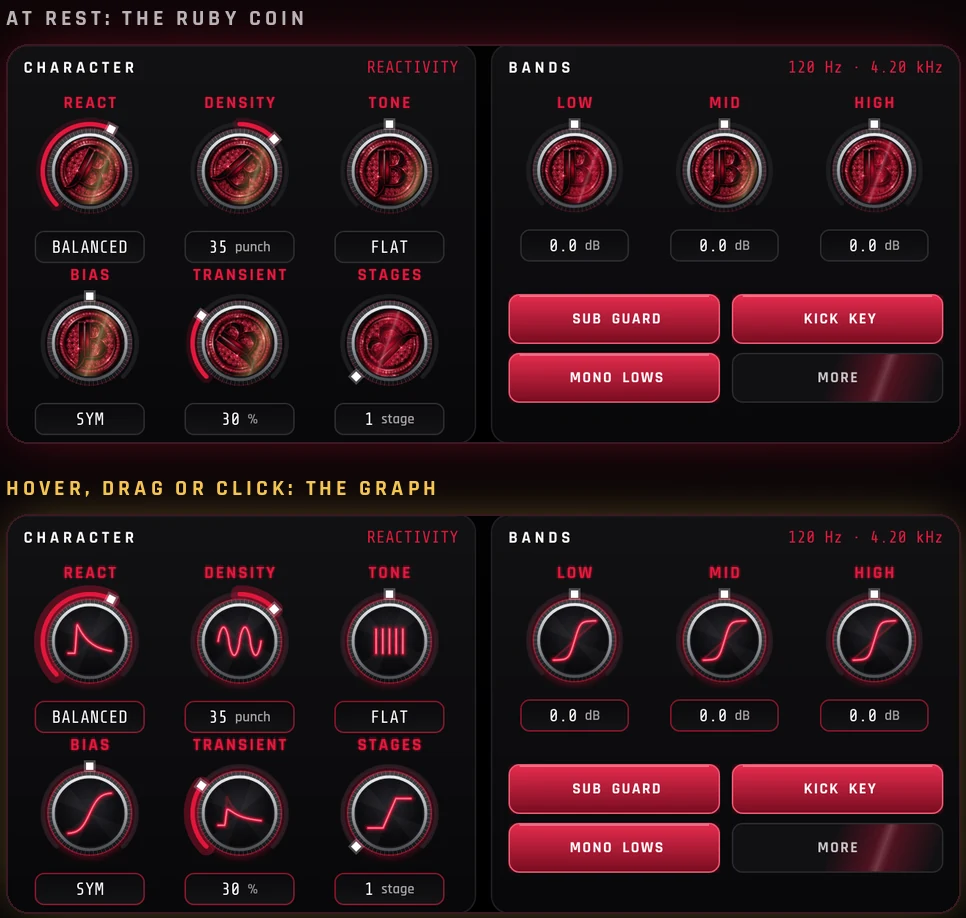
Every knob shows its work.
Each knob is the ruby JB coin.
- Hover, drag or click and it flips to a glowing graph of what it does.
- The graph moves as you turn it: knee, density, tone, release and more.
- Character (react, density, tone, bias, transient, stages) and three band trims, with Sub Guard, Kick Key and Mono Lows one click away.
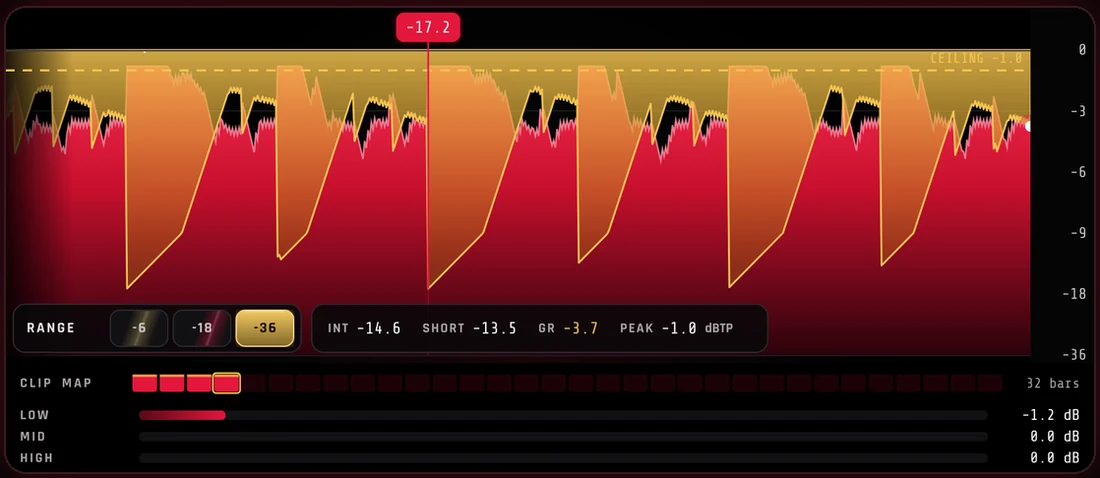
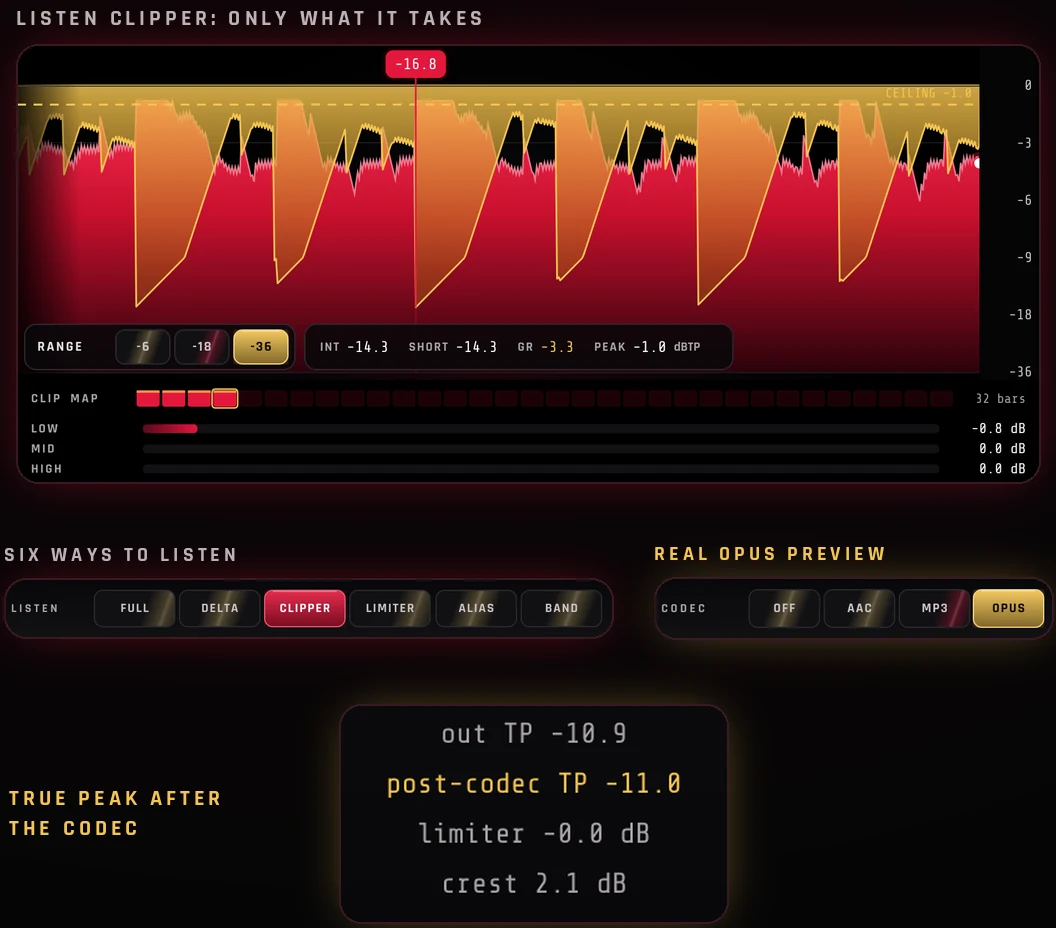
Watch every peak you shave.
The graph is the mix.
- Ruby is the output. Gold folds are the clipping. White is the limiter.
- Flags mark the hardest hits. Click the graph to set the ceiling.
- A 32-bar clip map and per-band reduction underneath, with integrated, short-term, gain reduction and peak readouts.
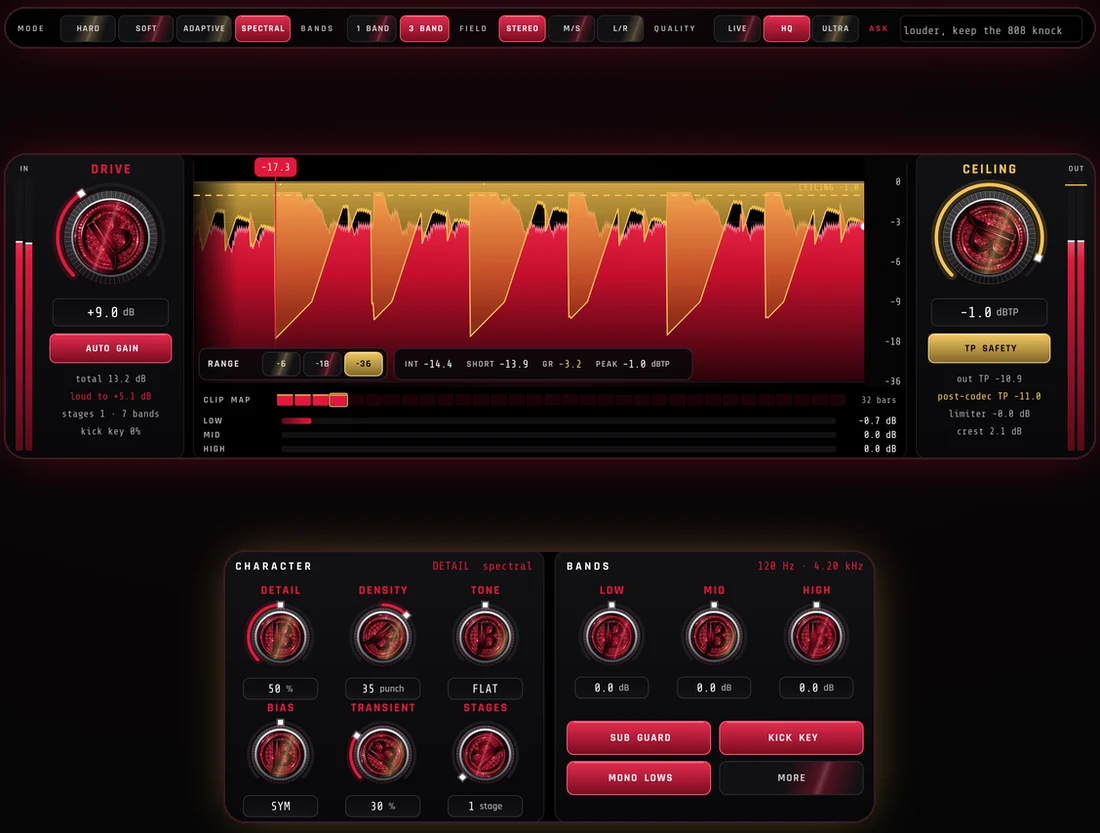
Hard. Soft. Adaptive. Spectral.
Pick how it clips.
- Adaptive is hard on the hits and tape-soft on the body.
- Spectral clips each part of the spectrum on its own.
- 1 or 3 bands, a round sub guard, stereo, M/S or L/R, up to 4 stages, and Live / HQ / Ultra anti-aliasing.
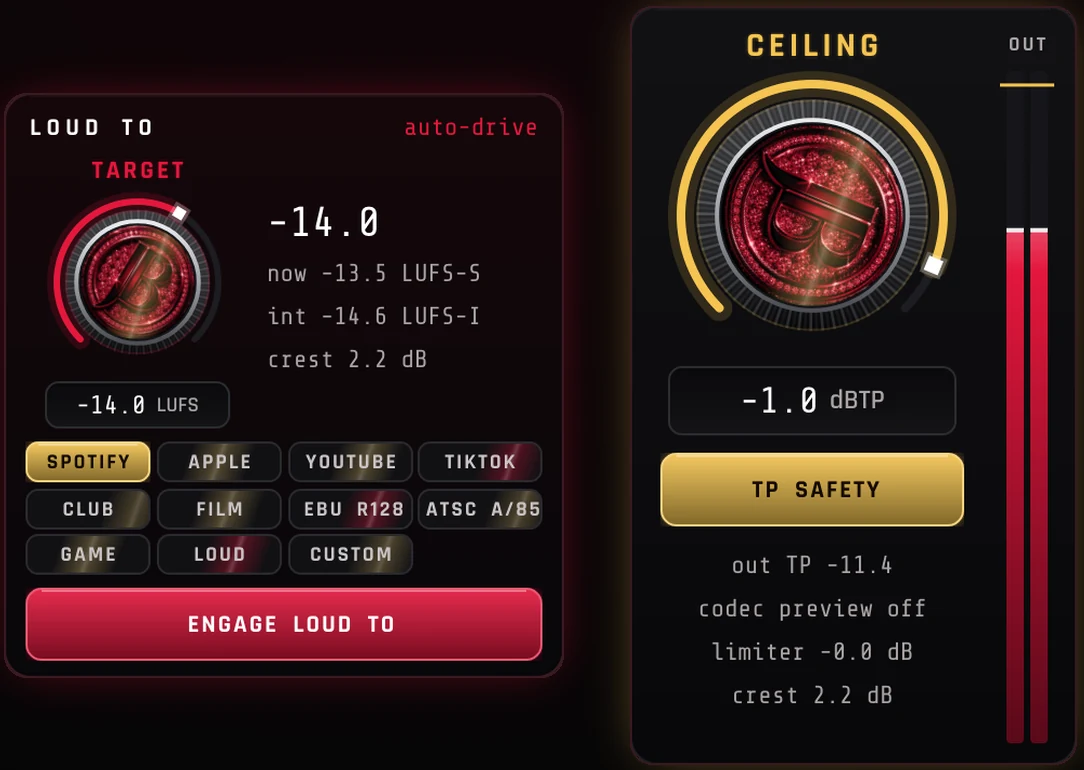
Pick a platform. Hit the number.
Auto-drive to your target.
- Spotify, Apple, YouTube, TikTok, club, film, EBU R128, ATSC A/85, game, loud or custom.
- Loud To rides the drive until the track sits on the target.
- Each platform sets a safe true-peak ceiling too, with TP Safety on the gold Ceiling knob.
Hear what you take. Hear what streams.
Six ways to listen, plus the real codec.
- Listen to the full mix, the delta, only the clipper, only the limiter, the aliasing, or one band.
- Codec preview runs the real Opus codec and reads the true peak after it.
- Auto gain takes the drive back off, so you judge the clip, not the volume.
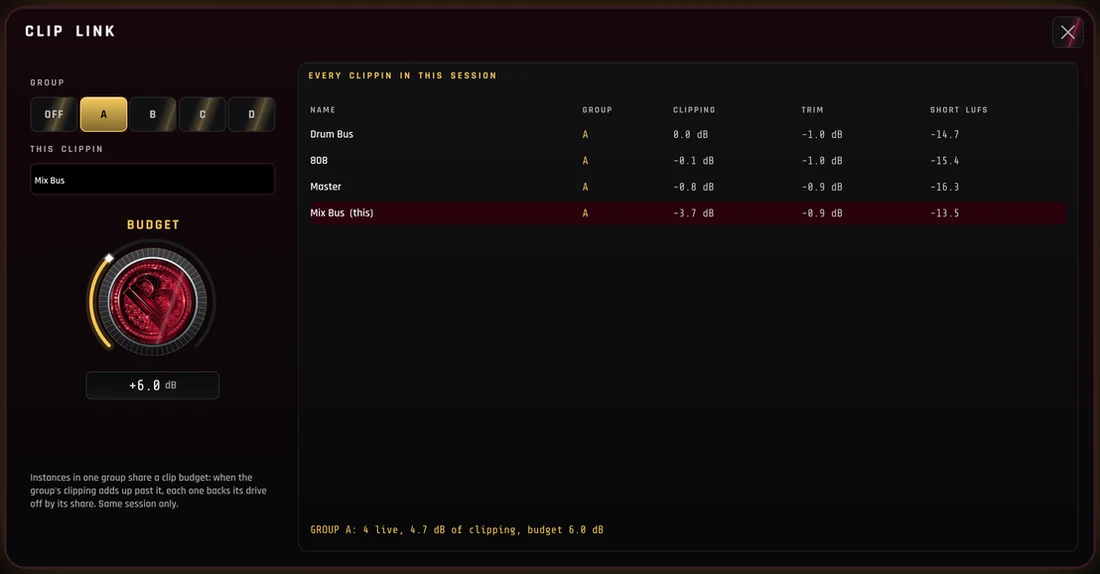
One clip budget for the whole session.
Every CLIPPIN, working together.
- Group the drum bus, the 808 and the master.
- When the group clips past its budget, each one backs off its share.
- See every CLIPPIN in the session on one page.
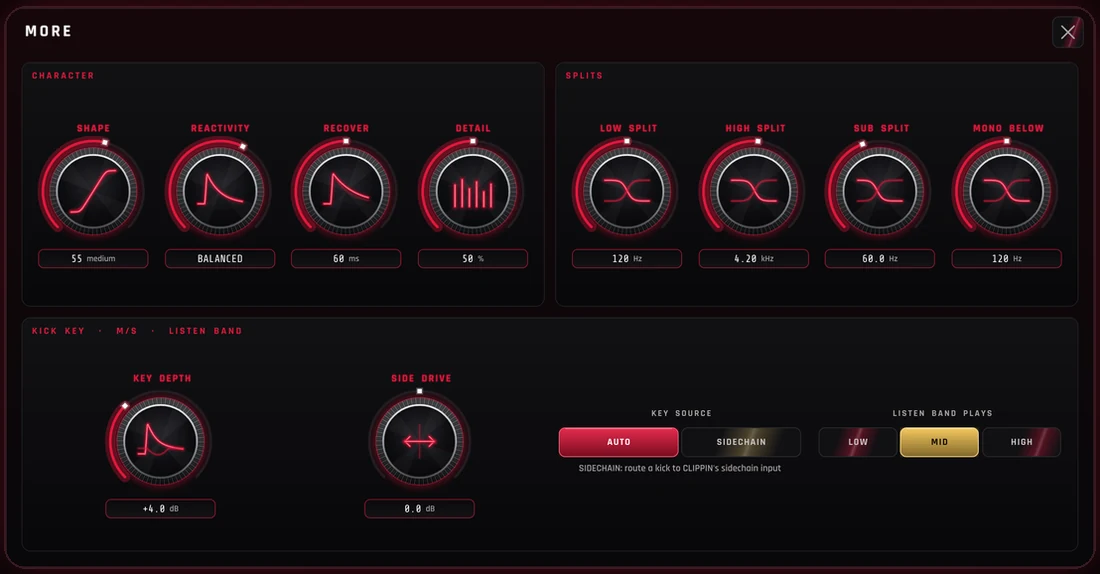
Let the kick through clean.
Fine control when you want it.
- Kick Key hears every kick, or your sidechain, and turns the bed down under it.
- Set the splits, the sub and mono frequencies, and the side drive.
- Snap A–D, presets, undo and redo.
JB CLIPPIN Specs
Price
Free
What it is
Clipper and true-peak limiter with loudness targets
Formats
AU, VST3 and CLAP
Systems
Mac + Windows
Quality
Live, HQ (4x) or Ultra anti-aliasing
Get it first
Sign up below and the download link comes to your inbox on release

Get CLIPPIN Free
Get the JB CLIPPIN download the day it drops, plus release news for every JB plugin. No spam.
System requirements
- macOS10.13 or higher (Intel/Mac)
- WindowsWindows 10 or 11 (64-bit)
- RAM4GB minimum (8GB recommended)
Plugin formats
Compatible with all major DAWs
 Ableton Live
 Audacity
 Cakewalk
 Cubase
 Fender Studio Pro
 FL Studio
 GarageBand
 Logic Pro
 Mixcraft
 Pro Tools
 Reaper
 Reason 13+
 Studio One
 Waveform
 Digital Performer
 Bitwig Studio
 ACID Pro
 Nuendo
Don’t see your DAW? As long as it supports VST3, AU or CLAP plugins it should work just fine. Try a free JB plugin to test compatibility for yourself.